Monday, July 23, 2018

WhatsApp पर मैसेज फॉरवर्ड करने की होगी सीमा

WhatsApp पर मैसेज फॉरवर्ड करने की होगी सीमा
WhatsApp अब मैसेज फॉरवर्ड करने की एक सीमा होगी। इस सोशल मीडिया कंपनी ने गुरुवार को जानकारी दी कि वह जल्द ही अपने प्लेटफॉर्म पर मैसेज फॉरवर्ड करने की सीमा तय करेगी। दरअसल, हाल के दिनों व्हाट्सऐप के ज़रिए भेजे गए अफवाहों के कारण भीड़ द्वारा दर्जनों लोगों की हत्या के कई मामले सामने आए हैं। इसके बाद से व्हाट्सऐप द्वारा ऐसा कुछ कदम उठाए जाने का अनुमान था।

कंपनी ने एक ब्लॉग पोस्ट में कहा कि वह भारत में WhatsApp पर मैसेज फॉरवर्ड करने की सीमा की टेस्टिंग कर रही है जहां दुनियाभर में सबसे ज़्यादा मैसेज और वीडियो फॉरवर्ड किए जाते हैं। कंपनी की योजना है कि भारत में मैसेज फॉरवर्ड करने की सीमा पांच कर दी जाए। इसके अलावा मैसेज के बगल में नज़र आने वाले में "quick forward" बटन को हटाने के बारे में भी विचार किया जा रहा है।

वहीं, व्हाट्सऐप के ग्लोबल वर्ज़न में कंपनी मैसेज फॉरवर्ड करने की सीमा 20 रखेगी। गौर करने वाली बात है कि भारत में व्हाट्सऐप का इस्तेमाल राजनीतिक पार्टियां जनता से जुड़ने के लिए करती रही हैं। जिसमें व्हाट्सऐप फॉरवर्ड मैसेज का सबसे अहम योगदान है।

इससे पहले, WhatsApp ने एक नया फीचर रोलआउट किया था जिससे यूज़र को यह पता चल जाता है कि उसको मिला हुआ मैसेज फॉरवर्ड किया गया है या नहीं। इस फीचर की झलक हमें पहले ही WhatsApp एंड्रॉयड बीटा ऐप पर मिली थी। व्हाट्सऐप के इस फीचर में मुख्य तौर पर सभी फॉरवर्ड किए हुए मैसेज में 'Forwarded' का लेबल लगा हुआ आता है। इससे कोई भी यूज़र यह जान जाएगा कि उस मैसेज को सेंडर द्वारा ही लिखा गया है, या किसी और यूज़र के भेजे मैसेज को आगे बढ़ा दिया गया है।

Sunday, July 22, 2018

Top 10+ Best CMD Commands Used In Hacking 2018

Top 10+ Best CMD Commands Used In Hacking 2018

Top 10 Best CMD Commands Used In Hacking 2018

Top 10+ Best CMD Commands Used In Hacking 2018

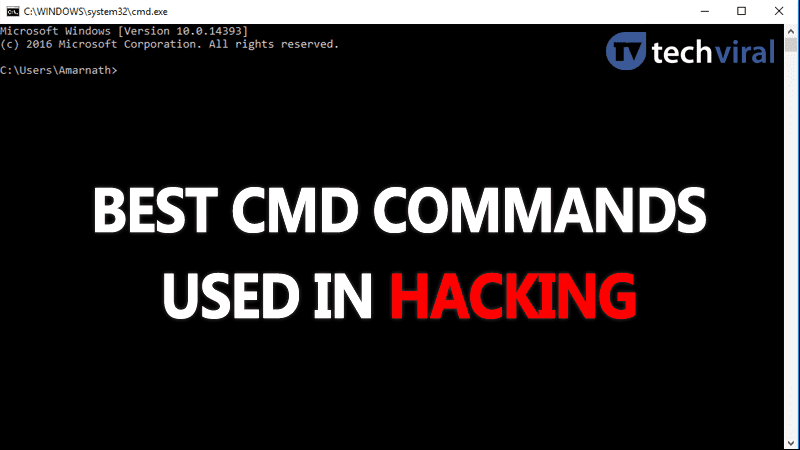
We all know that Command Prompt is one of the most powerful tools in Windows which is well known by CMD. Today we are going to share top CMD or MS-DOS commands which you must know if you want to be a hacker. Therefore, if you have just made a mind of becoming a hacker then you could learn to utilize these ten best CMD commands used in hacking.
Contents: [show]

10+ Best CMD Commands Used In Hacking 2018

We all know that Command Prompt is one of the most powerful tools in Windows which is well known by CMD. It is the command-line interpreter on Windows OS. With the help of CMD, you can do almost anything with your PC/laptop. We can’t explain what exactly CMD can do! However, hackers or some professional users know how to make full use of Command Prompt.
Here in this article, we are going to show you the list of best CMD commands which are used by hackers. Therefore, if you have just made a mind of becoming a hacker then you could learn to utilize these ten best CMD commands used in hacking.

#1 ping

This command uses your internet connection in order to send some packets of data to a specific web address then these packets are sent back to your PC. The test simply shows the amount of time it took to reach the specific address. In simple words, it helps you to know if the host you pinging is alive.
You can use Ping command whenever you need to verify that the host computer can connect to the TCP/IP network and its resources.
For example, you can type in Command prompt ping 8.8.8.8 which belongs to Google.
You can replace “8.8.8.8” to “www.google.com” or something else which you want to ping.

#2 nslookup

It is a network administration command-line tool which helps you to obtain domain name or IP address mapping for any specific DNS record. Suppose you have a website URL but want to know its IP Address, you can simply type in CMD
nslookup www.google.com (Replace Google.com with your website URL of which you want to find the IP address)

#3 tracert

You can say Trace Route like its name it allows users to trace the route than an IP packed has taken to reach a destination. The command calculates and displays the amount of time each hop took to reach a destination. You just need to type
tracert x.x.x.x (if you know the IP Address) or else you can type tracert www.google.com (If you don’t know the IP address)

#4 arp

This command helps you to modify ARP cache. You can run arp-a command on each computer to see whether the computers have the correct MAC address listed for each other to ping each other successfully on the same subnet.
This command also helps users to find out if anyone has done arp poisoning in their LAN.
You can try typing arp-a in command prompt.

#5 ipconfig

This is the command which shows every useful thing. It will show you IPv6 address, temporary IPv6 address, IPv4 address, Subnet Mask, Default gateway and all other things that you want to know.
You can type in command prompt “ipconfig”or “ipconfig/all”

#6 netstat

If you want to find out who is establishing a connection with your computer then you might try typing in command prompt “netstat -a” it will display all the connection and you will get to know about the active connections and listening ports.
Type in command prompt “netstat -a”

#7 Route

It is a command which is used to view and manipulate the IP routing table in the Microsoft Windows operating system. This command will show you routing table, metric and interface.
You can type in command prompt “route print.”

#8 Net View

This command displays the whole list of resources, computers or domains that are shared by the specified computer.
You can type in command prompt “net view x.x.x.x or computername”

#9 Net User

Well, this command is used to modify changes to use accounts on a computer. You can add, remove users with the help of this command
You can use these commands while using net user
net user [<UserName> {<Password> | *} [<Options>]] [/domain] net user [<UserName> {<Password> | *} /add [<Options>] [/domain]] net user [<UserName> [/delete] [/domain]]

#10 Net Use

This command is been used to connect, remove and configure connections to shared resources like network printers and other mapped drives. The use of this command is a little bit complicated. So, we recommend you to visit the Microsoft site to get full details on how to use this command.

#11 Tasklist

This command opens up an entire task manager on the command prompt. Users just need to enter tasklist on CMD and they will see the list of all running process. You can figure out all the wrongs with this commands.
Moreover, the command can also be used when you need to forcefully close any process. For example, if you want to kill PID 1532 process then you can enter the command: taskkill /PID 1532 /F

#12 iexplore

As we all know, hackers often try to execute some apps, such as the web browsers. So, hackers use the iexplore option to execute apps and web pages. For example, if you enter iexplore www.techviral.net on the command prompt, it will open the URL in Internet Explorer.
Not only these, but you can even use iexplore <IP address> to find sites running on any particular IP address. The command is used in multiple ways by the hackers.
So, above are the 10 best CMD commands used in hacking. You can actually explore the lot more than this, we have listed 150+ CMD commands in one of our articles! I Hope you like the post! Share it with your friends too. Leave a comment below if you want to add any command in the list.

Saturday, July 21, 2018

Jio Monsoon Hungama

Jio Monsoon Hungama Offer : आज से 501 रुपये में 4G फोन के साथ मिलेंगे इतने सारे फायदे


नयी दिल्ली : यदि आप अपने पुराने मोबाइल फोन से ऊब गये हैं. नया फोन, नये फीचर के साथ लेना चाहते हैं, तो आपके लिए खुशखबरी है. शुक्रवार की शाम 5:01 बजे से आपको महज 501 रुपये में जियो का 4जी फीचर फोन मिलने जा रहा है. यह जियो का माॅनसून ऑफर है. ऑफर की शुरुआत 21 जुलाई को होनी थी. जियो के माॅनसून ऑफर के तहत आप किसी भी पुराने फीचर फोन के बदले Jio का 1,500 रुपये वाला फोन 501 रुपये में ले सकेंगे.   ऐसे ले सकेंगे फोन -अपना कोई पुराना फीचर लेकर नजदीक के Jio या रिलायंस स्टोर पर जा जायें. -अधिकृत रिटेल स्टोर पर भी जाकर पुराने फीचर फोन को 501 रुपये देकर नये Jio फोन के 1500 रुपये के फोन से एक्सचेंज कर सकते हैं. -501 रुपये में मिलने वाले Jio फोन में WhatsApp, YouTube, Facebook और गूगल असिस्टेंट एप भी मिलेगा, यानी सिर्फ 501 रुपये में आप व्हाट्सएप सपोर्ट करने वाला फोन खरीद सकते हैं.   ये है प्लान -एक प्लान 49 रुपये का है. -दूसरा प्लान 153 रुपये का है. -49 रुपये वाले प्लान में 28 दिनों की वैधता के साथ 1 जीबी डाटा, 50 मैसेज और अनलिमिटेड कॉलिंग मिलेगी. -153 रुपये वाले प्लान में 28 दिनों तक रोज 1.5 जीबी डाटा यानी कुल 42 जीबी डाटा मिलेगा और रोज 100 मैसेज भी कर सकेंगे. इस प्लान में अनलिमिटेड कॉलिंग की सुविधा होगी.   फोन के फीचर्स भी जान लें -4जी सपोर्ट -2.4 इंच की डिस्प्ले -2000 एमएएच की बैटरी -512 एमबी रैम -4 जीबी स्टोरेज. इसे 128 जीबी तक बढ़ाया जा सकेगा -फोन में 2 मेगापिक्सल का रियर और 0.3 मेगापिक्सल फ्रंट कैमरा -फोन में VoLTE और VOY-FI यानी वॉयस ओवर वाइ-फाइ मिलेगा -फोन में एफएम, वाइ-फाइ, जीपीएस जैसे फीचर्स भी मिलेंगे

Sunday, July 8, 2018

Hacking Tips & Tricks

Best Hacking Tips & Tricks For Android

So here we have selected some cool hacks that were written in some of our cool articles, refer them and perform various android tricks that will shock the people around you. So have a look on these hacks and tricks below.

Top 15 Best Android Hacks and Tricks:-

#1 Unlock Lock Screen In Android Lollipop 5.0 Without Any Tool

Unlock Lock Screen In Android Lollipop 5.0 Without Any Tool
The method is quite simple but little time taking and this is actually based on Android 5.0 vulnerability that will help you to unlock our Android without losing data or without the need of any PC tools.

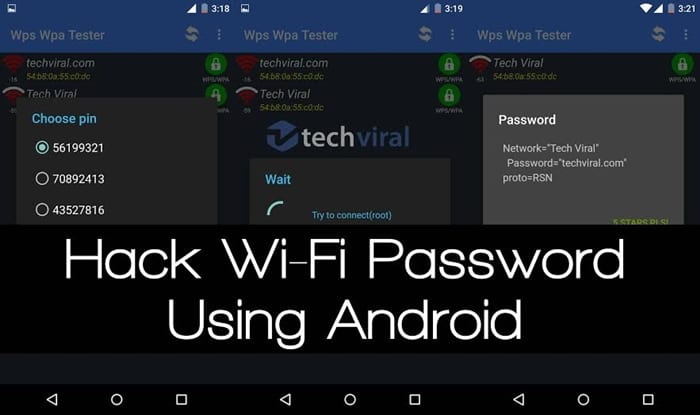
#2 Hack Wifi Security In Your Android 

Hack Wifi Security In Your Android
Android Wifi Hacking App for the rooted android phone. With this app, you can disable other user net connection on same wifi network. With this WPS Connect application, you can hack any wifi network and connect automatically to any password protected wifi network.

#3 Use Finger Print Security In Android Without Actually Having Finger Print Scanner Hardware

Use Finger Print Security In Android Without Actually Having Finger Print Scanner Hardware
Use Finger Print Security in your Android without having hardware in your device with the cool app discussed in this article.

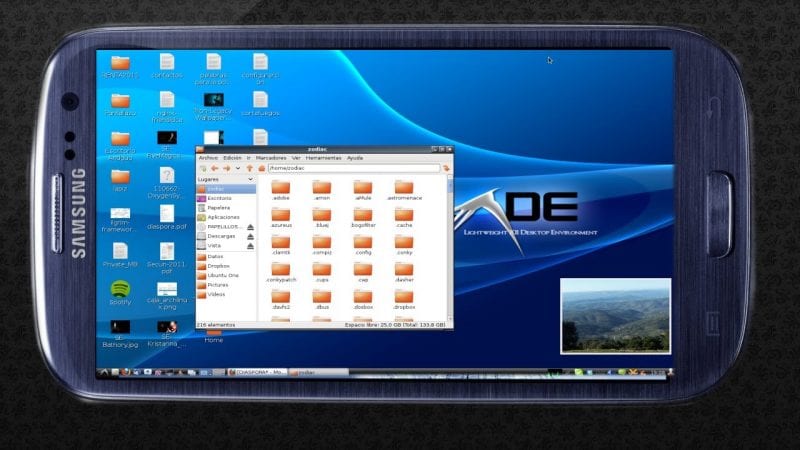
#4 Install Kali Linux In Your Android For Pentesting

Install Kali Linux In Your Android For Pentesting
In this method, you will be installing all the Linux files on your Android by downloading them and then using the complete interface for your pen testing or any other way that you like

#5 Record Slow Motion Videos In Android Device

 Record Slow Motion Videos In Android Device
Record Slow Motion Videos In Android Device
Now a slow video recording is possible on any Android device with some cool apps that are available today by which you can easily capture your special moments in slow motion.

#6 Remotely Shutdown Your PC With Your Android

Remotely Shutdown Your PC With Your Android
The method is based on a cool windows program that is mainly designed to schedule shutdown on your PC but it can be used as remotely shutdown program too using some settings and implementations

#7 Add Recycle Bin Feature In Any Android

Add Recycle Bin Feature In Any Android
With the recycle bin feature in your Android device you can now easily make your data secure by securing it by getting deleted by any other person too. And the method is very easy and is just based on a simple android app that will temporarily store deleted files that you can restore.

#8 Add Guest Mode In Your Android

Add Guest Mode In Your Android
This feature is now coming to almost all new Android, but older android doesn’t have this feature so they can use the method below to enable guest mode in any android

#9 Block Or Stop Any Particular App For Particular Time In Android

Block Or Stop Any Particular App For Particular Time In Android
Here you will get a cool app that will let you stop particular apps for a particular time and you can get rid of distracting apps.

#10 How To Unlock Windows Computer from Android/iPhone

How To Unlock Windows Computer from Android/iPhone
How to unlock your computer with the help of your Android smartphone, you will need a Rohos Logon Key software installed both on your Android and Computer to gain access your computer.

#11 Hack Any Game On Your Android Smartphone

Hack Any Game On Your Android Smartphone
Hack Any Game On Your Android SmartphoneHack Any Game On Your Android Smartphone
We all love to play games on our Android smartphones. But game resources are something that we always want more and more. If you have a rooted Android smartphone then you can hack any game on your Android smartphone. Just, visit the article listed above to know about it.

#12 Add Firewall in Any Android device

Add Firewall in Any Android device
You can add firewall in your Android smartphone just like you have it on your Windows computer. A firewall protects your computer from security threats. You can add firewall in your android which will allow you to create filter rules based on IP address, host name or domain name.

#13 Encrypt Or Decrypt Files On Android

Encrypt Or Decrypt Files On Android
Well in android we save lots of personal data which can be accessed by any unauthorized person because the saved file is not encrypted. So, you can encrypt your files on Android just to avoid any kind of unauthorized access.

#14 Disable And Modify Working Of Any Sensors In Android

Disable And Modify Working Of Any Sensors In Android
There are more than billions of people who are using Android smartphone. You can actually tweak your Android sensor settings to work differently or you can disable it. Just, visit our listed article to know how you can disable and modify the working of any sensor in Android.

#15 Overclock Your Android Device To Boost Performance

Overclock Your Android Device To Boost Performance
After many days of usage, our Android slows down. However, the major reason behind this is the limited CPU clock-speed. You can actually overclock your Android device to boost performance. Just visit the listed article to discover how to overclock your Android to boost performance.
So above are all the Best Android hacks and tricks that you will love to try in your android. Hope you will like this, do share these with others too. Leave a comment below if you have any related queries with any of the article, discussed above

Eid Mubarak

Happy Eid-Ul-fitr to my all friends ➖➖➖➖➖➖➖➖➖➖➖➖➖➖ I wish you and your family a very joyful Eid. May Allah accept all your prayers an...